User Research
Usability Testing
Research, Testing, Prototyping
Figma
Van, Kasey, Alex, Coney
Overview
Notion Clusters is a feature designed to assist new users, specifically students, create their notion board for their studies faster and more efficiently. The intent of the feature design is to lessen the time, confusion and effort for students to build their notion board and focus on their studies. In order to test the effectiveness of Notion and our new feature, we conducted several tests.
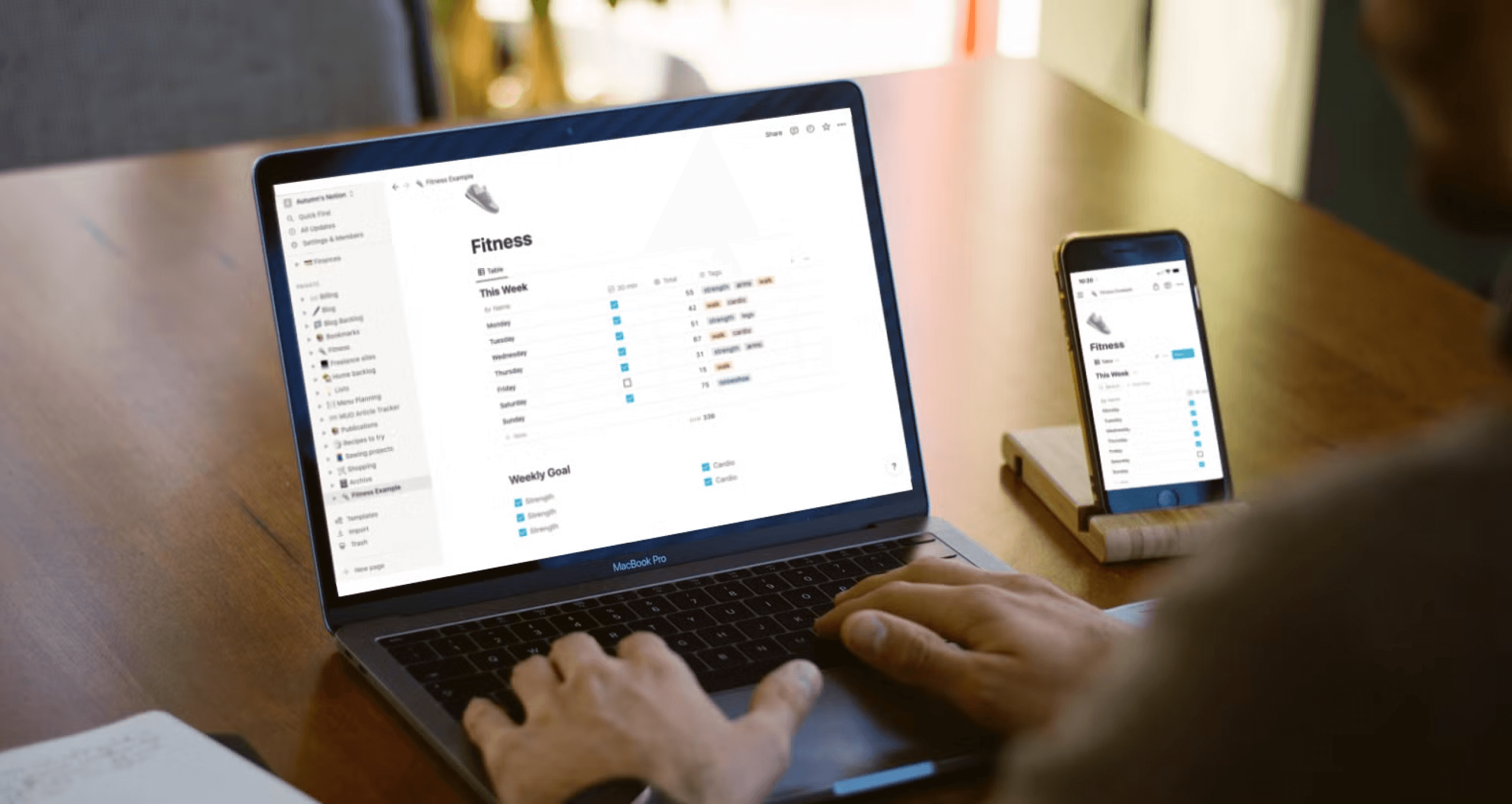
Image of person using Notion on a laptop. Source: https://www.makeuseof.com/notion-custom-fitness-tracker/
What is Notion?
Notion is a productivity program that offers a variety of features such as data bases, lists, calendars, and notetaking. Notion is used by a variety of users for project management, studying, personal organization and more.
Students get distracted.
We discovered that a common issue amongst students was finding a productivity and/or organization app that assisted them with their studies and did not distract them. We also found that new users find it difficult to start their Notion board and struggle to understand the interface. Our team decided that Notion was a powerful productivity tool that could benefit students and help them solve their challenges.

Illustration of the persona Kayla.
Meet Kayla — A Busy University Student
“I just want a single place where I can keep track of my notes, assignments, and deadlines—something that helps me stay organized and focused on my studies.”
Notion’s customization options for each page are endless, but that makes it hard to figure out the best layout without spending hours on trial and error.
While Notion provides templates to help, there are so many options and different layouts that Kayla is not sure which one to pick or how to adjust it.
Usability Testing
In order to test our assumptions and secondary research, my team conducted a usability test to discover how students who are new to Notion are able to use the interface and what they find challenging with creating boards. I assisted in planning and conducting seven usability tests using the thinkaloud method.
Methodology
Pre-Test Questionnaire
The goal of the pre-test questionnaire to understand participants’ school organization experiences in addition to their goals, needs, and experiences using productivity applications.
Post-Test Questionnaire
The goal of the post-test questionnaire was to understand how participants felt about the usability of Notion after conducting the tasks.
7 Participants
Zoom
Method
Think-Aloud
Representative Tasks
Since the purpose of the study was to assess the usability of Notion during the initial setup of an [insert organization feature], all of the tasks were designed to represent typical interactions performed during the setup phase and creating phase.
Post-Test Interview
The post-test interview, consisting of open-ended questions, allowed participants to freely share insights and elaborate on their answers in the post-test questionnaire.
Synthesizing Results
01
Learning Curve was Steep
HMW integrate a feature that allow new users to learn how to use Notion quicker, in order to start building their board for efficiently and start being productive faster?
02
Terminology was Unfamiliar and Difficult
HMW create a solution for new notion users that will allow for navigating new content to be less intimidating by matching their expectation with what they already know?
03
Overwhelming Amount of Options
HMW incorporate a system for new users to feel less overwhelmed looking for the options they need and start working quicker?
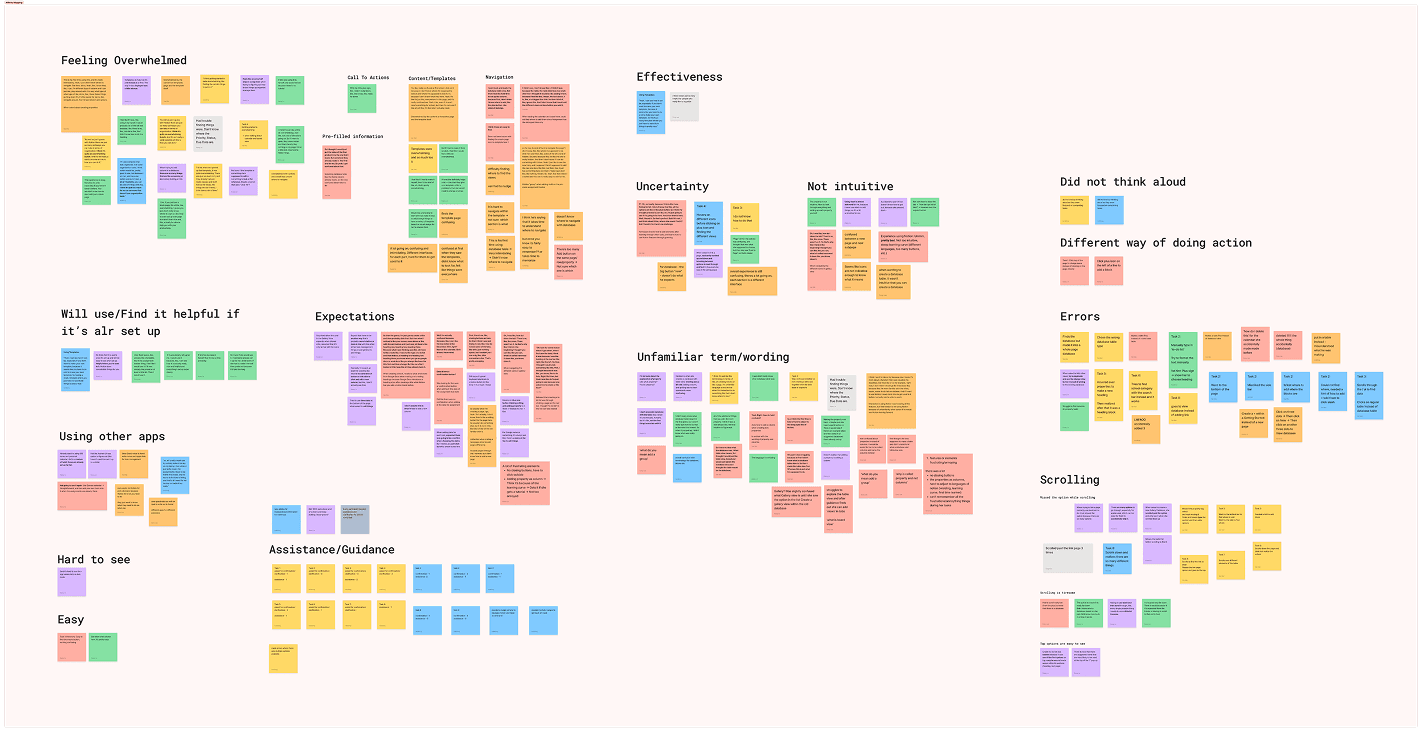
Screenshot of Figjam board with categorized notes from Usability Testing.
Problem Space
How might we make the initial workspace set up process in Notion easier to learn and less confusing for new users?
Prototype of tutorial and cluster feature.
Design Solution
Notion Clusters
Notion Clusters is a feature intended to support new users to build their boards quicker and simpler. The feature includes a walk through tutorial to assist users with unfamiliar terminology and concepts, while providing practice to reinforce their understanding. Clusters combine different components that Notion offers such as titles, charts, and checklists into pre-made templates for users to drag and drop. The Clusters aim to reduce steps for building the board so students can start working and learning faster.
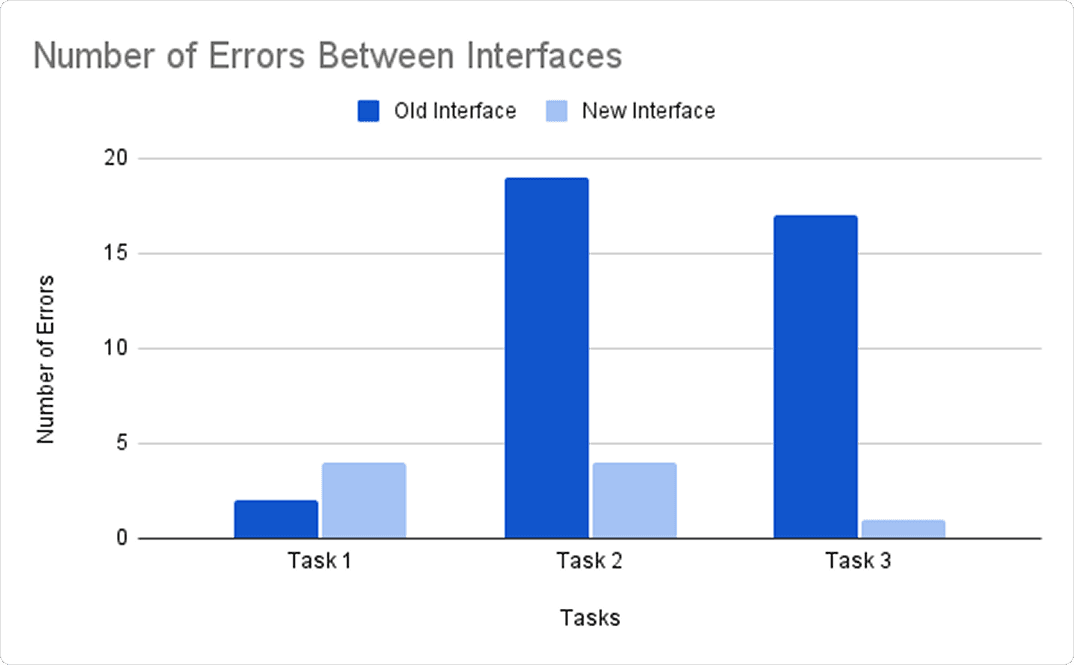
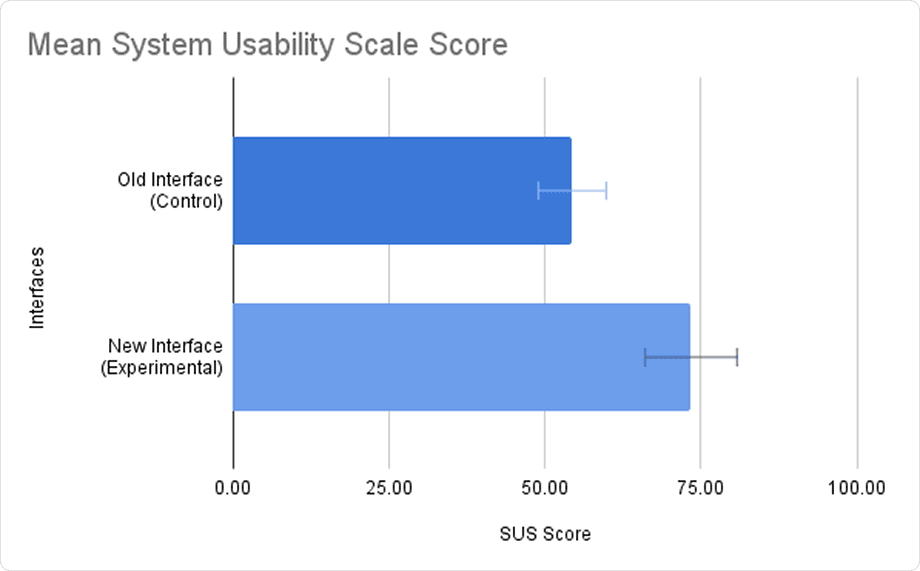
Chart of results for number of errors (top) and SUS scores from participants (bottom).
A/B Testing
To test the effectiveness of our design intervention, we conducted A/B testing on 8 participants to compare the new and old UI of Notion. In order to understand the effectiveness of each UI, we measured the usability and learnability with participants by tracking numbers of errors for each task and SUS scores. I led half of the participants through testing and assisted with noting errors during testing. Participants were given a pre-test questionnaire, a set of representative tasks for one of the UI, and a SUS questionnaire following the completion of tasks. Participants then repeated those steps for the other UI.
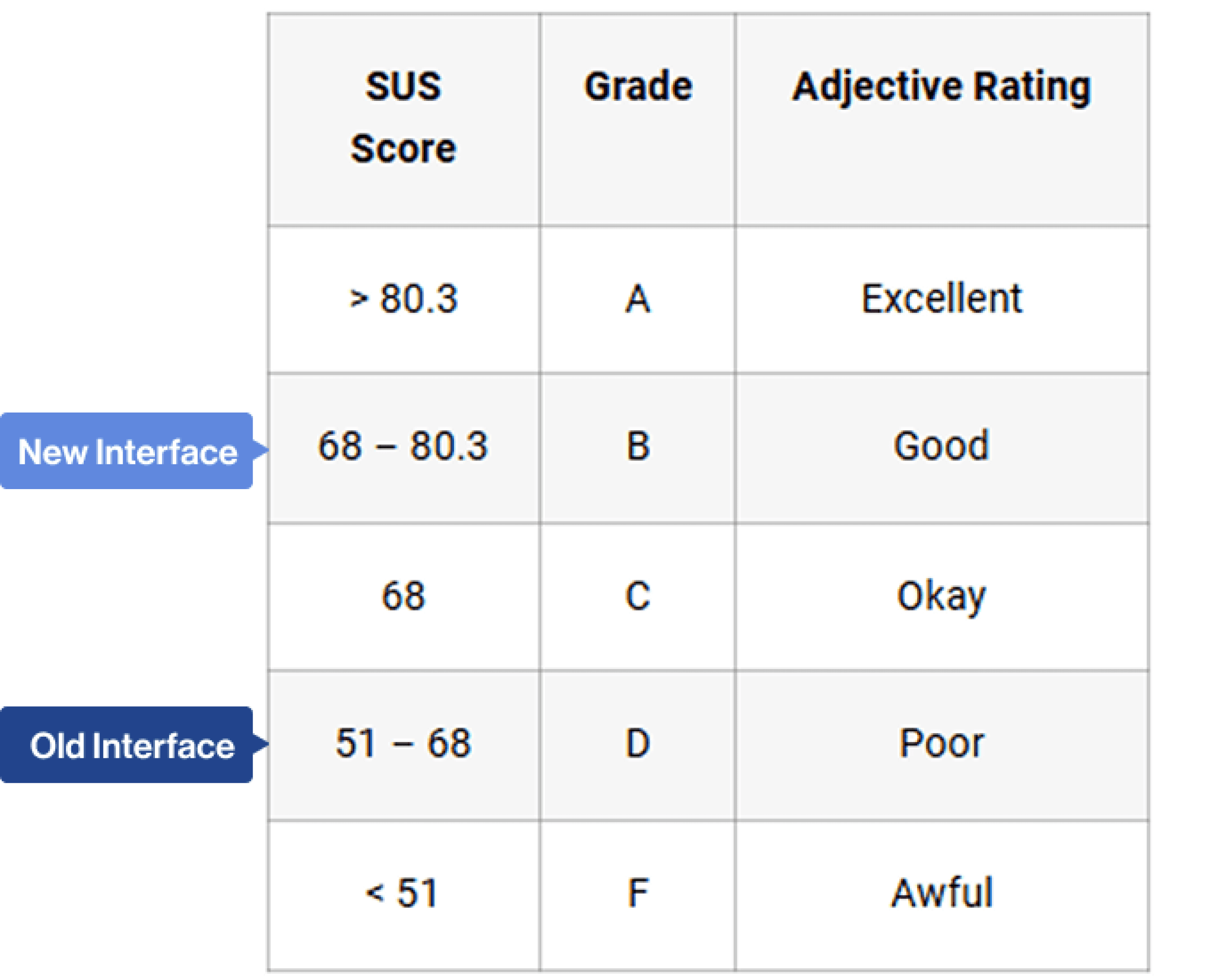
Image of where each interface averaged with SUS grading.
Results
The scores of the SUS questionnaire resulted in a M = 54.38 for the old UI of Notion, and M = 73.44 for the new UI of Notion. The results indicate that the new UI has a substantially higher perceived usability. The number of errors reported while using the old UI of Notion was significantly higher than with the new UI of Notion. This indicates that the new UI has a smaller margin for errors. In short, we discovered that our design intervention significantly improved new users’ ability to understand and begin navigating Notion.
Considerations
We incorporated feedback and test results directly into refining our final prototype, prioritizing issues that had the greatest impact on usability. By analyzing user pain points and observed challenges, we identified specific areas for improvement and implemented tangible fixes—such as implementing a design system, enhancing the presentation of nutritional information, and clarifying differences between senior and caregiver user flow. These adjustments ensured the prototype not only addressed real user needs but also delivered a smoother, more intuitive overall experience.